Sometimes change is necessary. The seasons are shifting, I'm turning 23 in a week or so, and my creative juices are flowing. Instead of my usual "I'm going to take a trip somewhere," I decided to redecorate. Redecorating is something that always feels really great. It's a wonderful way to start over; even seeing a new paint color cover the old is somewhat cathartic. Who couldn't use a little catharsis every once in a while? (Oh, and thanks for photobombing me, Juno.)
 Before: I actually don't mind the "before" at all. It's cozy. I wanted a change though, which is why I kissed that soft seafoam green "goodbye" and traded that green chevron stripe rug for a similar but more geometric one.


 I like it. It's classy but still very "me" -- a hodgepodge of sorts but everything is still somehow cohesive. Staining my bed was the best decision I've ever made. It came out unexpectedly well and I now believe in the power of the stain. Seriously, if you want to make a big impact on a budget, stain a piece of furniture. WOWZA.
xo, e.m.


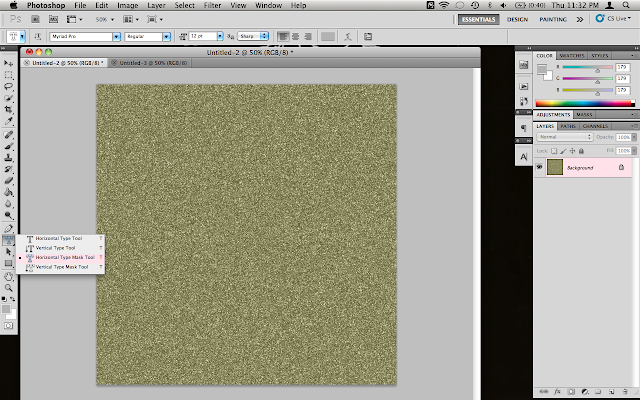 To begin, you're going to need some glitter.
 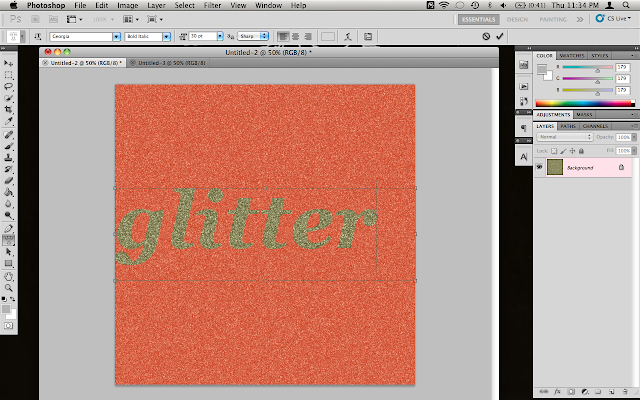 Once you create your text box, the glitter will turn red. Type in the word that you want and adjust the font and size to your liking.
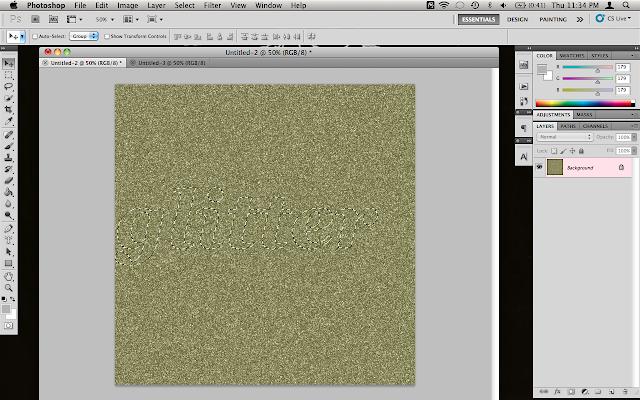 Once you click out, there will be a marquee outlining your text. Copy that! (I like to use the good 'ole command + c but you can go up to the edit menu also.)
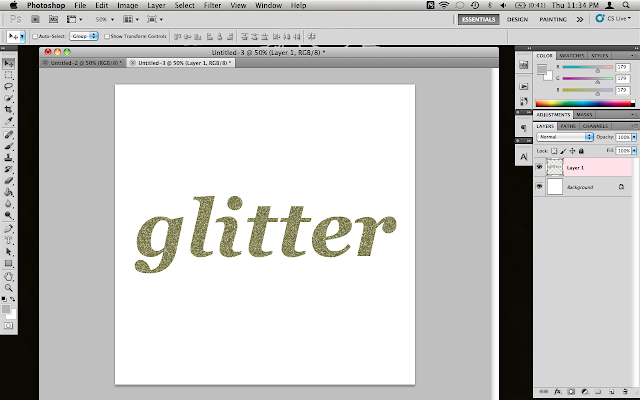 Paste your test into the new document. Resize, rotate, go crazy with it.
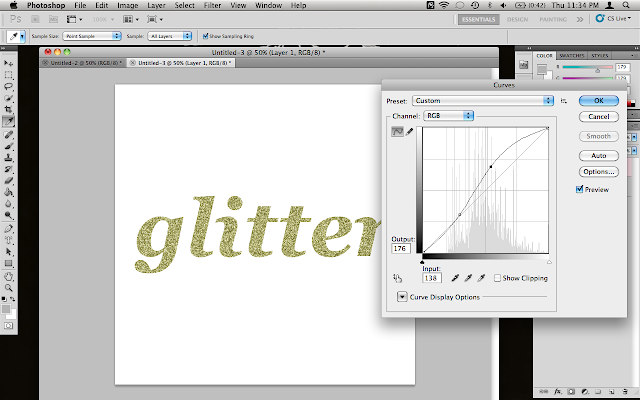 Use Curves to adjust your glitter to exactly how you would like it to look. As you can tell, I lightened mine up a bit. Play around and see what you like best!
 Here it is in action! Have fun playing around and creating glittery works of art!